Threat Hunting for Australian Businesses: Beyond Reactive Security
Most Australian businesses discover breaches weeks or months after attackers gain access. Antivirus and firewalls catch known threats, but they miss sophisticated attacks that blend into normal activity. By the time alerts fire, attackers have already stolen credentials, moved laterally, and exfiltrated data.
Threat hunting flips this model. Instead of waiting for alerts, security analysts actively search your environment for signs of compromise. They look for anomalies, suspicious patterns, and indicators that automated tools miss—things like unusual authentication attempts, lateral movement between systems, or data staging before exfiltration.
What Threat Hunting Actually Is
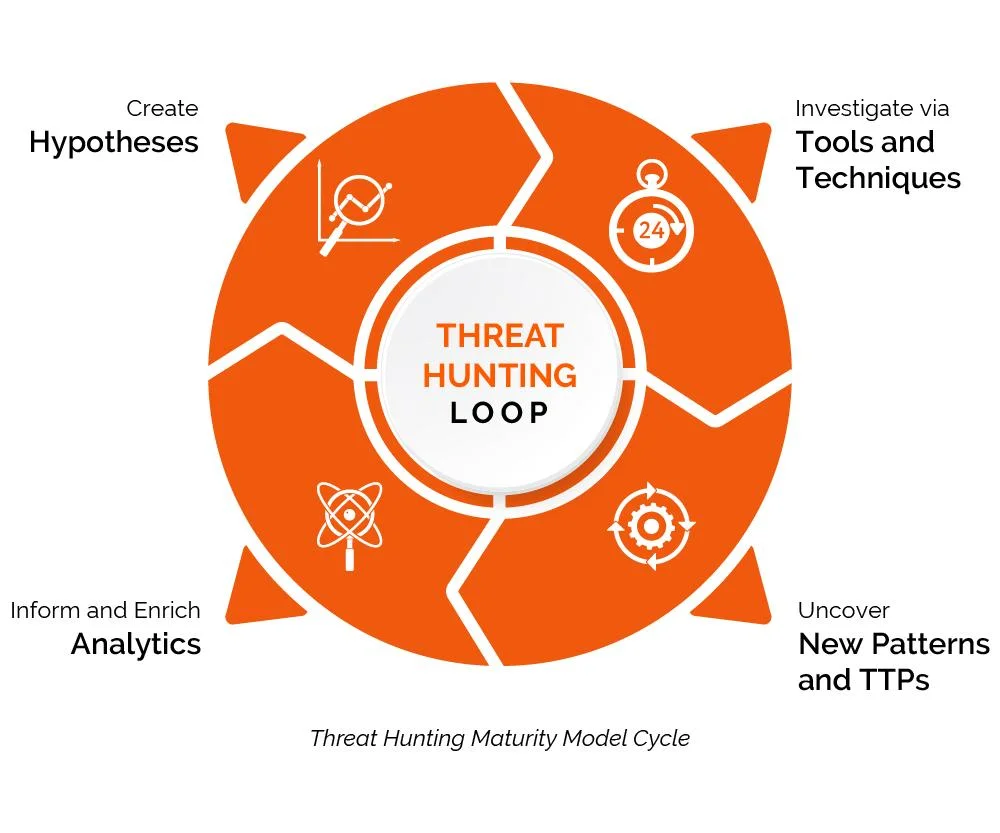
Threat hunting is hypothesis-driven investigation. An analyst starts with a theory—“What if attackers compromised admin accounts?”—and searches logs, network traffic, and endpoint data to prove or disprove it. This isn’t responding to alerts; it’s assuming breach and hunting for evidence.
Traditional security is reactive: deploy tools, wait for alerts, respond to incidents. Threat hunting is proactive: assume attackers are already inside, look for them before they cause damage. Most breaches aren’t discovered by security tools—they’re found during threat hunts or reported from a manual discovery. The difference matters because modern attacks don’t trigger alarms. Attackers use legitimate tools (PowerShell, RDP, cloud admin consoles), move slowly to avoid detection, and blend into normal business activity. They know what your tools alert on and they avoid those patterns.
Why Australian Businesses Need Threat Hunting
Australian businesses face targeted attacks from state-sponsored groups and organized crime. Attackers spend weeks mapping your network, understanding your security controls, and planning data theft before you know they’re there. The 2022 Medibank breach and Optus incident showed how attackers dwell undetected for extended periods. Regulatory penalties under the Privacy Act, business disruption, customer notification requirements, and reputational damage compound quickly.
Threat hunting reduces dwell time. The longer attackers remain undetected, the more damage they cause.
What Threat Hunters Actually Look For
Threat hunting focuses on patterns that automated tools miss. Here are common indicators that reveal hidden compromises:
Credential abuse patterns: An admin account logs in from Melbourne at 9 AM, then again from Sydney at 9:05 AM, impossible without credential theft. Multiple failed login attempts followed by success using a privileged account. Service accounts accessing workstations instead of servers. Users authenticating to systems they’ve never touched before.
Lateral movement: An accounting workstation suddenly initiating RDP connections to HR systems. PowerShell remoting sessions between workstations instead of admin servers. SMB file shares accessed in rapid succession across multiple systems—classic ransomware reconnaissance behavior.
Persistence mechanisms: Scheduled tasks created by non-admin users. New Windows services installed outside maintenance windows. Registry Run keys modified on multiple systems. WMI event subscriptions that execute commands.
Data staging: Large zip archives created in unusual locations like C:\Windows\Temp or user home directories. Files with suspicious names like “backup.rar” or “export.zip” in directories that don’t normally contain compressed data. Sudden spikes in database query volume from non-application accounts.
Command and control activity: Regular network beacons every 60 seconds to external IPs. DNS queries for suspicious domains that resolve but never receive follow-up HTTP traffic—DNS tunneling. Cloud storage services (Dropbox, OneDrive, WeTransfer) accessed by systems that never used them before.
Living off the land: PowerShell launching from unusual parent processes like Excel or Outlook. WMI or PSExec used outside normal IT operations. Legitimate admin tools (net.exe, tasklist.exe, whoami.exe) run by standard user accounts. These techniques bypass antivirus because they use built-in Windows tools.
Remote Management Tools: Remote management tool usage such as TeamViewer, AnyDesk, SplashTop used in the environemnt.
During a threat hunt of an Australian logistics company network, it was discovered that an attacker had compromised a contractor’s account three weeks earlier and slowly mapped the network using standard Windows commands. No alerts fired because the activity looked like normal IT operations. The hunt found them because multiple workstations were running network reconnaissance commands within minutes of each other—normal admin work doesn’t happen that way.
Eviant’s Approach
Eviant provides threat hunting services for businesses through focused engagements and continuous monitoring programs. Our engagements are driven by threat intelligence and we customise the hunt depending on your environment, technology and logging available. We then hunt for specific threat actors, techniques, and indicators relevant to your industry and attack surface. Findings include detailed reports of what we found, how attackers could exploit identified weaknesses, and recommended remediation steps.
If you’ve experienced a breach, suspect compromise, or want proactive security beyond automated tools, threat hunting provides visibility into threats hiding in your environment. Contact Eviant to discuss threat hunting tailored to Australian business requirements.
Related Resources

My Email Was Hacked: Phishing Response for Microsoft 365
Immediate response steps for phishing attacks that compromise Microsoft 365 and Google Workspace accounts. Covers MITM phishing that bypasses MFA, removing attacker persistence, and prevention.

AWS Lambda Backdoor Investigation: Compromised Credentials, EventBridge Persistence, and the Serverless Logging Gap
Technical analysis of an AWS cloud breach involving exposed credentials, Lambda function backdoors, EventBridge persistence mechanisms, and the unique challenges of incident response in serverless environments.
OpenClaw: Why You Should Avoid These AI Agents
OpenClaw and Moltbot AI agents promise productivity but introduce severe security risks. Learn why these tools threaten Australian SMBs and what to use instead.
Ready to Work Together?
Let's discuss how we can help protect your business and achieve your security goals.